How to Reduce No Shows Appointments: The 2026 Playbook
Missed appointments aren’t a minor scheduling annoyance. They’re a revenue leak with operational fallout attached. In healthcare alone, reducing no-show...
Missed appointments aren’t a minor scheduling annoyance. They’re a revenue leak with operational fallout attached. In healthcare alone, reducing no-show rates to 5% could generate an additional $51.8 million in annual revenue across the U.S. system, and no-show rates often sit in the 15% to 30% range in many industries, according to Artera’s analysis of patient no-show rates.
That framing matters because it changes the response. If you treat no-shows as random human behavior, you’ll keep patching the problem with ad hoc reminder calls. If you treat them as a system failure, you build a repeatable process that prevents forgetfulness, makes rescheduling easy, and recovers bookings fast when someone still misses. Teams that want to quantify just how much leakage sits inside missed interactions should start with a tool like this missed call revenue loss calculator, because no-shows and missed calls usually come from the same root issue: broken follow-up infrastructure.
The True Cost of a Missed Appointment
A no-show wastes more than a time slot. It ties up staff capacity, leaves revenue unrecovered, and blocks another customer from booking that time. In service businesses, the damage hits twice. You lose the appointment itself, then your team spends more time trying to fix the hole in the schedule.
Teams often undercount the problem because they only look at daily emptiness. They don’t look at the downstream effects. A stylist stands idle. A clinician loses a treatment slot. A sales rep waits on a demo that never starts. Then someone on the team manually chases the customer, updates the calendar, and explains the gap in utilization.
Practical rule: If a missed appointment can happen without triggering an immediate automated response, your system is still too manual.
No-shows usually aren’t proof that customers don’t care. They’re proof that the booking experience, confirmation process, reminder sequence, and recovery flow aren’t working together. That’s why generic advice rarely holds up. “Send reminders” isn’t a strategy. It’s one component inside a larger operating system.
The businesses that reduce no-shows consistently do three things well:
- They tighten commitment at booking. The customer knows what was booked, when it happens, and how cancellations work.
- They automate communication. Confirmation, reminders, rescheduling, and follow-up happen without staff needing to remember.
- They act fast after failure. A missed appointment triggers recovery, not silence.
That’s the shift. Stop treating no-shows as an unavoidable cost of doing business. Build an automated communication stack that makes attendance easier than absence.
Fortify Your Booking Process and Policies
No-show prevention starts before the reminder sequence. It starts the moment someone books.
If your booking flow is vague, your cancellation policy is buried, and your schedule pushes people too far into the future, you’re creating no-show risk with your own process. Businesses that want to learn how to reduce no shows appointments need to fix the front end first.
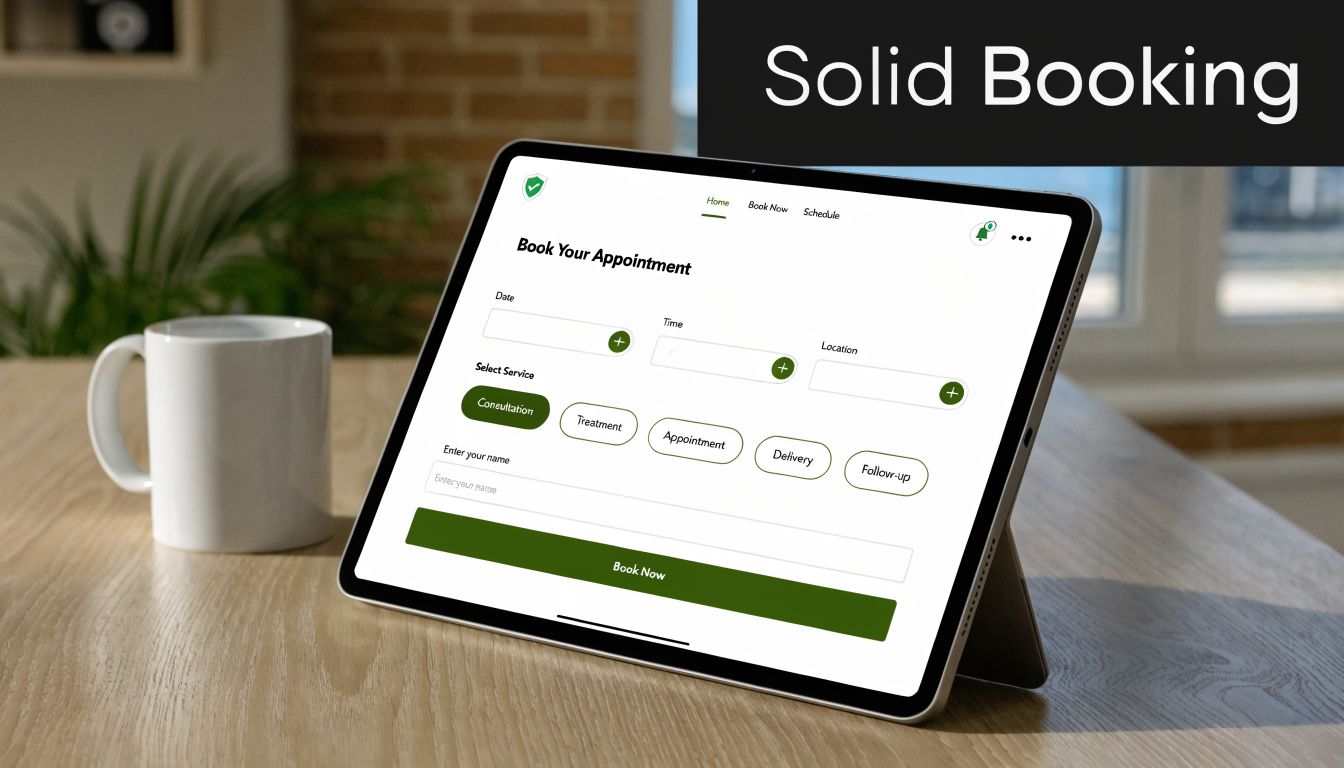
Shorten the time between booking and service
Long lead times create room for life to interfere. That’s why access matters so much. Qminder reports that reducing scheduling wait times to less than three days and optimizing schedules with dynamic overbooking can cut no-show rates by 24% to 34%, and one study cited there saw no-shows drop from 37.4% to 19.72% by improving capacity and access.
That has a practical implication. If you can schedule sooner, do it. Don’t make customers protect a booking three weeks from now if the service could happen tomorrow.
A tighter booking window works especially well for:
- Follow-up visits
- Consultations
- Sales demos
- High-intent service requests
- Time-sensitive home service appointments
Set expectations before the customer disappears
The best cancellation policy isn’t aggressive. It’s clear.
Customers should see the rules at three points: during booking, in the confirmation, and inside reminder messages. If the policy only lives on a hidden webpage, it won’t shape behavior. A good policy answers four things plainly:
| Policy element | What the customer should know |
|---|---|
| Cancellation window | How much notice you require to reschedule cleanly |
| Late arrival rule | When an appointment may be shortened or forfeited |
| No-show consequence | What happens if they don’t attend |
| Rescheduling method | The fastest way to change the booking |
For teams that manage educators, tutors, or lesson-based schedules, a purpose-built tool like tutoring scheduling software can be useful because recurring sessions and student-led changes need stronger guardrails than generic calendars usually provide.
Reduce friction in the booking experience
A clunky booking experience creates weak commitment. If someone has to call during office hours, wait on hold, then manually request a change later, they’re more likely to ghost than reschedule.
What works better:
- Self-service booking: Let customers choose available time slots without staff involvement.
- Simple rescheduling: Make changes possible from the confirmation or reminder itself.
- Accurate intake: Capture mobile number, email, and preferred contact method during booking.
- Immediate confirmation: Send details instantly so there’s no ambiguity.
Customers are more likely to keep appointments they feel they actively chose, not appointments they feel were imposed on them.
A practical implementation guide for this kind of workflow is this 5-step guide to automate inbound booking. The main point is simple. Booking should create commitment, not confusion.
Design Your Automated Reminder Cadence
Most businesses either under-remind or over-remind. Both fail for different reasons. Too little contact lets the appointment slip from memory. Too much generic contact trains customers to ignore you.
A good reminder cadence has a job at each stage. One message confirms the booking. Another gives enough time to reschedule. A final message reduces day-of friction. If you want to know how to reduce no shows appointments without turning your team into a call center, this is the core workflow to build.
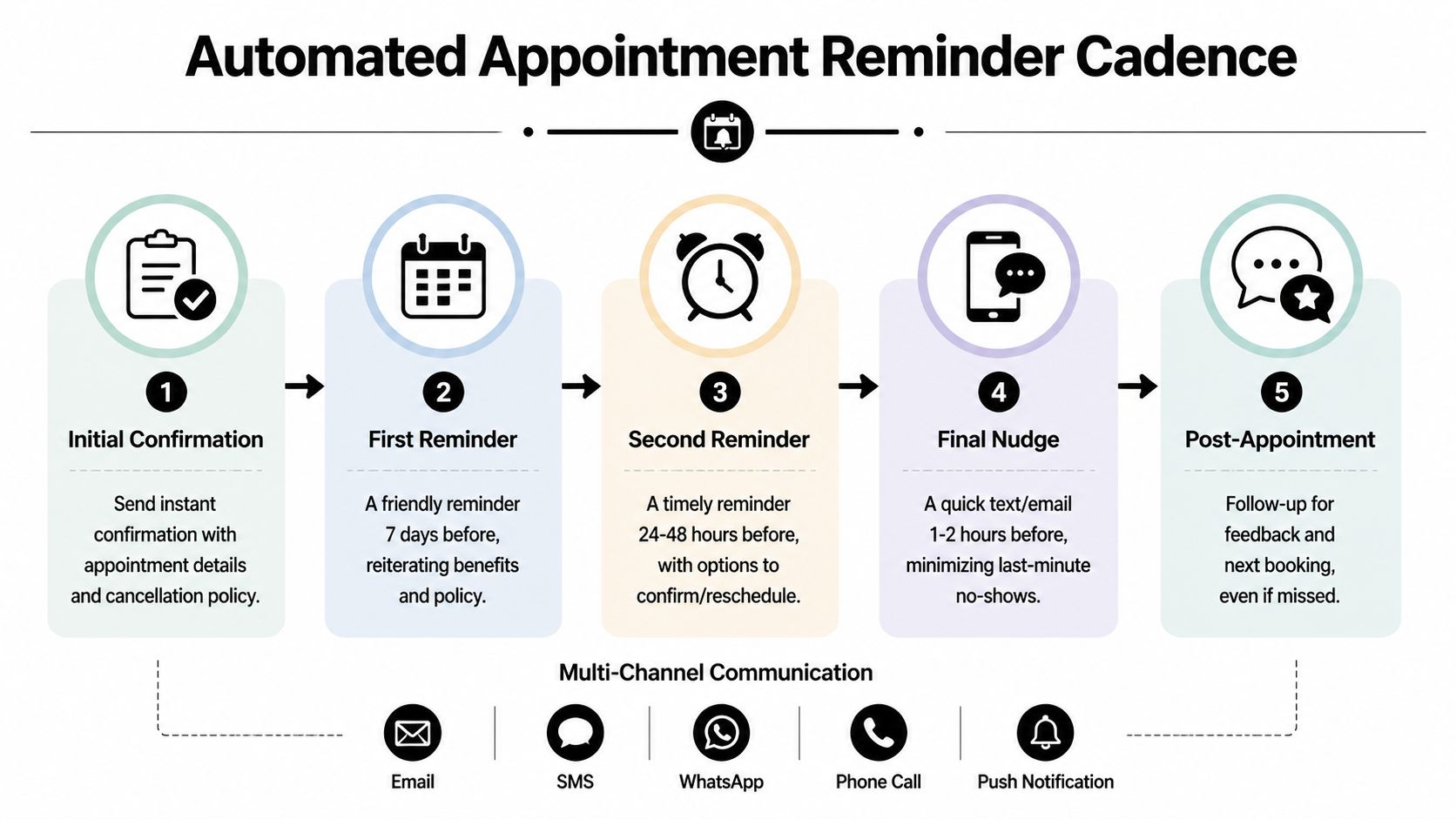
What each reminder should accomplish
Think in terms of intent, not just timing.
Right after booking
This message removes uncertainty. It should include the date, time, location or meeting link, service type, and cancellation rules. The customer should never need to wonder whether the appointment is locked in.
Template
- Subject or opener: Appointment confirmed
- Body: Hi [Name], you’re booked for [service] on [day] at [time]. If you need to reschedule, use [reschedule option]. Our cancellation policy requires [policy summary]. Reply with any questions.
Around a week before for longer lead-time bookings
This reminder refreshes memory and re-establishes value. It works well for appointments booked well in advance, especially consultations, evaluations, recurring services, and sales calls.
Template
- Message: Hi [Name], this is a reminder of your upcoming appointment on [day] at [time]. If anything has changed, please reschedule now so we can offer the slot to another customer.
At 24 to 48 hours
This is the most important reminder because it creates action. The message should let the customer confirm or reschedule without friction. It shouldn’t just announce the appointment. It should ask for a response.
Template
- Message: Hi [Name], you’re scheduled for [service] on [day] at [time]. Reply YES to confirm or use this link to reschedule: [link].
That response mechanism matters. It turns a passive reminder into an active commitment point.
A reminder without an easy response path doesn’t reduce uncertainty. It just broadcasts information.
A lot of teams borrow message structure from proven examples before refining their own. These CartBoss appointment reminder templates are useful for that because they show how short, direct reminders can still sound human.
Match the channel to the job
Not every reminder belongs on the same channel.
- SMS works best for urgency. Fast reads, fast replies, simple confirmations.
- Email works best for detail. Directions, prep instructions, forms, and policy language.
- Voice works best for high-risk or high-value appointments. It adds presence and helps recover people who ignore text.
Consider this practical approach:
| Timing | Best channel | Main purpose |
|---|---|---|
| Instant confirmation | Email plus SMS | Lock in details |
| Several days before | Email or SMS | Refresh memory |
| 24 to 48 hours before | SMS | Confirm or reschedule |
| Day of appointment | SMS | Reduce last-minute failure |
| High-risk booking | Voice plus SMS | Add accountability |
This walkthrough gives a useful visual example of how reminder workflows can be structured in practice.
Use multilingual reminders when language is the barrier
Many teams treat reminders as a volume problem when it’s, in fact, a comprehension problem. If your customers speak different languages at home, an English-only reminder system leaves money on the table.
According to Auditdata’s discussion of no-show prevention, automated reminders in a client’s native language can reduce no-shows by an additional 28%, compared with 12% for English-only reminders. The same source notes that platforms with 32+ languages and 100+ voices make that approach scalable.
That matters in clinics, salons, home services, real estate, and any market where the customer base is multilingual. If you only remind people in the language that’s easiest for your team, you’re building friction into attendance.
Keep the tone useful, not robotic
Good reminders don’t sound like legal notices. They sound helpful and clear. The customer should know exactly what to do next.
Avoid this kind of message:
- Bad: Reminder. You have an appointment tomorrow. Failure to attend may result in penalties.
Use this instead:
- Better: Hi [Name], just a reminder that we’ll see you tomorrow at [time]. Need to change it? Use this link now so we can help.
The difference is small on paper. In practice, it changes response behavior because it lowers resistance.
Automate Your No-Show Recovery and Rescheduling
Even a strong system won’t prevent every miss. What separates disciplined operations from chaotic ones is what happens next.
Most businesses lose the second chance because they react too slowly. The appointment is missed. Staff get busy. Someone says they’ll follow up later. Later becomes tomorrow, then next week, then never. At that point, the customer has already moved on mentally.
Build a same-day recovery sequence
The recovery flow should start the moment the appointment status flips to missed.
A simple version looks like this:
- Trigger an immediate message that acknowledges the missed appointment without sounding accusatory.
- Offer one-click rescheduling in the same message.
- Follow up again later the same day or next day if there’s no response.
- Route persistent non-responders into a separate list for future reactivation.
The first outreach matters most. It should sound empathetic and easy to act on.
Example recovery text
- Hi [Name], we missed you today. If you still want to book, you can reschedule here: [link]. If you need help, just reply to this message.
Remove effort from the comeback
A missed customer won’t work hard to return. If rebooking requires calling the office, waiting for a callback, or explaining the situation again, many won’t bother.
Recovery works when the path back is lighter than the path away. That means:
- Direct reschedule links
- Mobile-friendly booking pages
- A reply option for questions
- A clear next available slot
The worst recovery message says “call us to reschedule.” The best one lets the customer fix the problem in under a minute.
Treat first misses and repeat misses differently
Not all no-shows mean the same thing. A first-time miss might be a scheduling conflict. Repeated misses usually point to weak commitment, poor fit, or a broken communication preference.
Use different logic for each group:
| Customer type | Recovery approach |
|---|---|
| First-time no-show | Empathetic outreach and fast rescheduling |
| Previously reliable customer | Personal follow-up with flexible options |
| Repeat no-show | Stronger policy enforcement or tighter confirmation requirements |
| High-value customer | Direct outreach with priority rebooking |
Automation offers a solution. The system should decide which sequence to trigger based on history, not force your team to improvise every time.
A good recovery process doesn’t just reclaim a slot. It preserves the relationship and keeps your calendar from leaking demand that you already worked to generate.
Leverage AI for Predictive No-Show Management
Basic reminders treat every appointment the same. That’s fine when your volume is low. It breaks when your schedule gets busy and your customer behavior varies.
A smarter system scores risk. It looks at who booked, how far out the appointment sits, what their history looks like, and whether the slot needs extra protection. That’s where predictive management starts to outperform generic reminder blasts.
Score risk before the appointment fails
According to the ACAAI education resource on patient no-shows, AI predictive models can reduce no-shows by an additional 22% by identifying high-risk appointments. The same source notes that these models evaluate factors such as client history and appointment lead time, and that appointments booked over 15 days out have a 33% higher no-show probability.
That’s useful because it tells you where to intervene. Not everyone needs the same follow-up. Sending extra reminders to reliable customers can feel noisy. Sending the standard sequence to risky bookings can be too little.
A practical scoring model often considers:
- Booking lead time
- Past attendance behavior
- Appointment type
- Channel responsiveness
- Reschedule history
Match intervention to the risk level
Once you know which appointments are more likely to fail, you can apply more targeted action.
Here’s a practical framework:
| Risk level | Suggested action |
|---|---|
| Low risk | Standard confirmation and reminder cadence |
| Medium risk | Add a confirmation request and easier reschedule option |
| High risk | Add voice outreach, stronger confirmation, or prepayment requirement |
A communication CRM becomes operationally useful. A system like an AI appointment setter workflow can sit inside the scheduling process so outreach changes based on risk, rather than forcing the team to manually monitor every booking.
Use overbooking carefully, not casually
Overbooking gets abused because people hear the tactic and skip the math. Random double-booking is a blunt instrument. Predictive overbooking is a controlled capacity decision.
If certain slots, service types, or lead sources have a pattern of higher no-show risk, you can reserve some flexibility there without flooding the day. The point isn’t to pack the calendar recklessly. The point is to protect utilization where behavior is already telling you risk is increased.
What doesn’t work:
- Flat overbooking across the board
- Ignoring service duration
- No routing plan when everyone attends
- No distinction between low-risk and high-risk slots
What works better:
- Targeted overbooking only in historically risky windows
- Short-notice lists for backfill
- Automated outreach when capacity opens
- A live view of confirmations and pending replies
Predictive no-show management works because it targets effort where the risk is highest. That’s more effective than treating every appointment like it has the same chance of failure.
Used correctly, AI doesn’t replace the reminder system. It decides where that system should press harder.
Track Your KPIs and Continuously Optimize
If you don’t measure the system, you’re guessing. Teams often say they’ve improved no-shows because the week felt better. That isn’t enough. You need proof tied to specific behaviors and workflows.
A clean dashboard turns no-show reduction from opinion into operations. It tells you whether the booking process is producing committed appointments, whether reminders are getting responses, and whether missed appointments are being recovered fast enough.
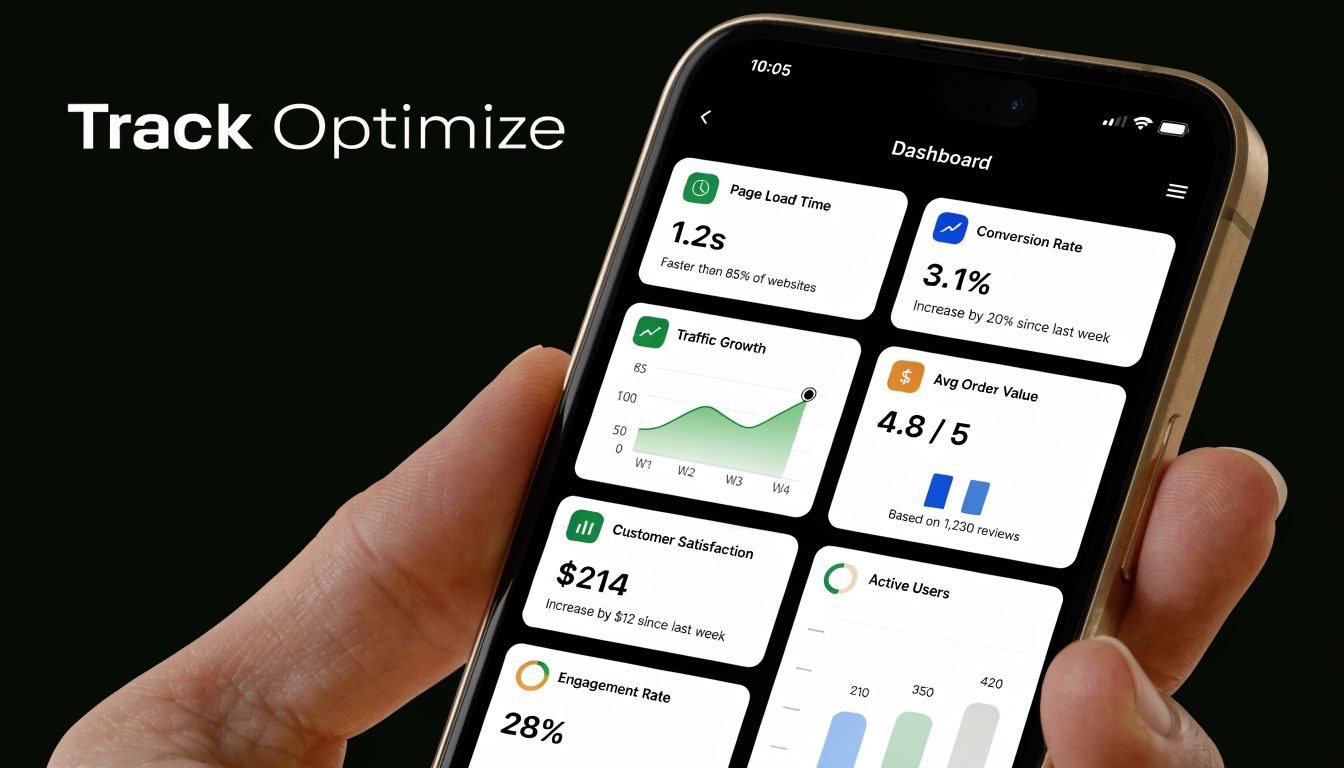
The few KPIs that actually matter
You don’t need a giant analytics stack. You need a short list of numbers your team can act on.
Track these consistently:
- No-show rate: The share of booked appointments that were missed.
- Confirmation rate: How many customers actively confirmed before the appointment.
- Reschedule rate: How many at-risk bookings moved instead of disappearing.
- Recovery rate: How many missed appointments were successfully rebooked.
- Revenue recovered: The value brought back through post-no-show workflows.
A dashboard matters because these metrics interact. A drop in confirmations usually shows up before a spike in no-shows. A rise in reschedules can be healthy if it prevents outright misses.
Test one variable at a time
Optimization gets sloppy when teams change everything at once. If you update timing, copy, channel, and policy in the same week, you won’t know what caused the change.
Test in controlled rounds:
- Compare reminder timing. See whether earlier or later prompts get better confirmations.
- Compare wording. Test direct confirmation language against more conversational copy.
- Compare channel mix. Some audiences respond better to SMS first, others to email plus text.
- Compare policy placement. Measure whether policy visibility at booking affects late cancellations and no-shows.
Centralize the reporting
Scattered tools create blind spots. If booking data lives in one system, texting in another, and call outcomes in a third, your team won’t get a usable picture of what’s working.
That’s why centralized reporting matters. The goal isn’t just visibility. It’s faster iteration. When operations managers can see reminders sent, responses received, reschedules completed, and recovery outcomes in one place, they can tighten the system without relying on anecdotes from the front desk or sales team.
No-show reduction is never a one-time fix. Customer behavior changes. Seasonality changes. Your mix of appointment types changes. Measurement is what keeps the process honest.
From Leaky Bucket to Fortified System
Businesses that struggle with no-shows usually don’t have one broken tactic. They have a broken chain. Booking is loose. Reminders are inconsistent. Recovery is manual. Reporting is scattered.
The fix is to build the chain properly. Tight booking policies create commitment. Automated reminders reduce forgetfulness and make rescheduling simple. Recovery workflows bring missed customers back quickly. Predictive scoring helps you focus attention where risk is highest. KPI tracking shows whether the whole machine is improving.
That’s how you reduce no-shows in a durable way. You stop relying on staff memory and start relying on process design.
If you’ve been searching for how to reduce no shows appointments, the answer isn’t a single script or one reminder text. It’s an operating system for attendance. Once that system is in place, the calendar gets more stable, staff time gets used better, and revenue stops slipping out through preventable gaps.
If you want one platform to run confirmations, reminders, outbound follow-up, multilingual messaging, AI-driven scheduling, and reporting in one place, take a look at Glue Sky. It’s built for teams that need customer conversations handled across voice, SMS, email, and CRM workflows without relying on manual follow-up to keep the schedule full.