Ai receptionist for small business: Boost leads and cut costs
So, what exactly is an AI receptionist for a small business? Think of it as the perfect front-desk employee—one who works 24/7, never misses a call, and...
So, what exactly is an AI receptionist for a small business?
Think of it as the perfect front-desk employee—one who works 24/7, never misses a call, and doesn't take a single vacation day. This isn't just software; it’s a strategic tool that answers calls, schedules appointments, and engages with your customers around the clock, all for a fraction of a traditional salary. It ensures you never lose a potential customer just because you were on another line or it was after hours.

Traditional Receptionist vs AI Receptionist at a Glance
To really grasp the shift, it helps to see a direct comparison. Many small businesses are moving away from a traditional, human-only front desk for some very clear reasons.
The table below breaks down the core differences and shows why an AI-powered solution is becoming such a popular choice.
| Feature | Traditional Receptionist | AI Receptionist |
|---|---|---|
| Availability | Typically 8 hours/day, 5 days/week | 24/7/365, including nights, weekends, and holidays |
| Cost | Full-time salary, benefits, payroll taxes, overhead | Low, predictable monthly subscription fee |
| Call Capacity | Handles one call at a time; others go to voicemail | Can handle hundreds of calls simultaneously |
| Lead Capture | Limited to business hours; missed calls are common | Captures every lead, anytime, without fail |
| Appointment Booking | Manual process, prone to human error or delays | Automated, instant booking synced with your calendar |
| Consistency | Service quality can vary based on mood, training, workload | Perfectly consistent, follows scripts without deviation |
| Data Collection | Manual note-taking, information can be lost or inaccurate | Automatically logs call details and customer data in CRM |
| Scalability | Hiring more staff is slow and expensive | Scales instantly to handle call volume spikes |
As you can see, the AI receptionist isn't just a replacement; it’s an upgrade. It automates the repetitive tasks, freeing up human staff to focus on more complex, high-value customer interactions.
Moving Beyond a Simple Answering Machine
The biggest mistake is confusing an AI receptionist with a clunky phone tree or a basic voicemail service. Those old systems are passive. They simply record a message and create more work for you later, long after a potential customer may have moved on to a competitor.
A modern AI receptionist, on the other hand, is all about taking immediate action. It uses conversational AI to understand what the caller needs and resolve their request on the spot.
For instance, when someone calls to book an appointment, they don't want to play phone tag. The AI can instantly:
- Access your calendar to see real-time availability.
- Offer the caller specific, open time slots.
- Book the appointment directly and fire off a confirmation text or email.
This ability to provide instant gratification is a game-changer. You've just turned a missed call from a lost opportunity into confirmed revenue on your books. If you want to dig deeper into the core technology, this guide on AI Customer Support Agents for SMBs is a great starting point.
A Strategic Growth Engine for Your Business
As a small business owner, you're constantly juggling tasks. Being stuck on the phone answering basic questions pulls you away from the work that actually grows your business. An AI receptionist frees you from that trap by automating all the routine communication.
An AI receptionist doesn't just field calls. It actively qualifies your leads, schedules appointments that bring in revenue, and collects valuable customer information—all while you're out on a job, meeting a client, or even taking a well-deserved evening off.
This isn't just a nice-to-have tool anymore; it's becoming a crucial advantage. The numbers tell the story: the virtual receptionist market hit $3.85 billion in 2024 and is on track to hit $9 billion by 2033. That’s a 134% surge driven by small businesses that need to scale efficiently.
The trend is clear. Businesses that automate their front-desk operations are capturing more leads, slashing administrative costs, and delivering the instant service today's customers demand. An AI receptionist for a small business is more than just a convenience—it's essential for staying competitive.
The Core Benefits of an AI Receptionist
Bringing an AI receptionist for a small business on board isn't just about playing with new tech. It’s a smart business move that delivers real, measurable results across your entire operation. By automating your front desk, you're not just answering calls—you're unlocking serious savings, capturing more revenue, and freeing up your team to focus on growth.

Dramatically Reduce Overhead Costs
Let’s start with the most immediate win: the impact on your bottom line. Hiring a traditional receptionist is a major financial commitment. When you factor in salary, benefits, payroll taxes, and training, the cost can easily climb past $45,000 annually. An AI receptionist flips that model on its head, replacing a huge fixed cost with a small, predictable monthly fee.
This simple switch gives you incredible financial flexibility. Imagine redirecting those thousands of dollars back into the business—on marketing campaigns, new equipment, or other projects that actively drive growth. To see just how significant these savings can be, check out our complete cost analysis of human vs. AI answering services.
Capture More Revenue Around the Clock
What happens when a new customer calls after hours, or when you’re already on the other line? Usually, they hang up and call your competitor. It’s a harsh reality, but studies confirm that 85% of callers who don’t get an answer will not call back. Every one of those missed calls is lost revenue.
An AI receptionist completely eliminates this problem. It works 24/7/365, making sure every call gets answered instantly. This isn't just about good service; it’s about capturing leads you would have otherwise lost for good.
Think about these real-world scenarios:
- A potential client has an urgent need and calls at 10 PM. The AI answers, qualifies them, and books a consultation for the next morning.
- Your phone rings off the hook during a morning rush. Instead of a busy signal, every caller is handled at the same time, getting their questions answered and appointments booked.
- A lead in a different time zone discovers your business online. They can call and book a service immediately, without having to worry about your office hours.
By turning every inbound call into a genuine opportunity, an AI receptionist becomes a tireless revenue-generating machine for your business.
Elevate the Customer Experience
Today's customers have high expectations. They want answers now. Putting them on hold or forcing them through a clunky phone menu is a recipe for frustration and can quickly tarnish your reputation.
An AI receptionist ensures every caller receives immediate attention and a consistent, high-quality experience. It never has a bad day, never gets flustered, and always follows your script perfectly, representing your business exactly as you want it to.
On top of that, many AI platforms can offer multilingual support, instantly making your business more accessible to a wider community. By removing language barriers, you create a more welcoming experience for everyone, building a positive impression from the very first hello.
Boost Your Team’s Operational Efficiency
Your team's time is your most valuable asset. When your best people are tied up answering the same repetitive questions—"What are your hours?" or "How do I make an appointment?"—they aren't doing the high-value work they were hired for.
An AI receptionist takes all those routine tasks off their plate. By fielding an estimated 80-90% of basic calls, the AI can give your staff back more than 10 hours per week. That's time they can reinvest in solving complex customer problems, building client relationships, or tackling strategic projects. This boost in productivity doesn't just improve morale; it makes your entire operation more profitable.
How Small Businesses Use AI Receptionists in the Real World
It's one thing to talk about what an AI receptionist for a small business can do, but it's another thing entirely to see it in action. Theory is fine, but let's get into the nitty-gritty of how this technology solves everyday problems for businesses just like yours.
These aren't futuristic ideas. They're real "before and after" snapshots that show what happens when you finally get your phone lines under control. Each story zeroes in on a familiar pain point—from chaotic appointment booking to losing leads after hours—and shows how an AI receptionist offers a direct, measurable fix. This is where you really start to see the ROI.
Before and After: The Dental Clinic
Before: Picture a busy dental clinic office. It’s a state of constant, low-grade chaos. The front desk staff are fantastic at their jobs, but they’re completely swamped. While trying to check patients in, process payments, and untangle insurance questions, the phone never stops ringing. Patients calling to book a simple cleaning or just confirm their appointment time were either put on hold or sent to a voicemail box that was always full. It was a recipe for frustrated patients, stressed-out staff, and a steady trickle of missed opportunities for new patients.
After: The clinic brought in an AI receptionist and almost immediately automated 90% of its routine inbound calls. Now, when a patient calls to schedule an appointment, the AI pulls up the live calendar, offers the next available slots, books the visit, and instantly sends a confirmation text. This freed up the human staff to focus on giving great in-person service and tackling the complex insurance issues that actually require a human touch.
The Outcome: The clinic saw a 20% increase in new patient bookings in just the first three months. Staff morale went way up as the constant pressure eased, and patient satisfaction scores improved simply because no one ever got put on hold again.
Before and After: The Real Estate Agency
Before: A small, ambitious real estate agency was bleeding leads after 5 PM and on weekends. A motivated buyer would drive by a new listing on a Friday night, get excited, and call the number on the sign... only to get a generic voicemail. By the time an agent could return the call Monday morning, that same buyer had already lined up viewings with three other realtors. The lead wasn't just cold; it was gone.
After: The agency set up its AI receptionist to handle all property inquiries 24/7. Now, when a potential buyer calls that number on the sign at 10 PM on a Saturday, the AI answers instantly. It can share key details about the property, ask important qualifying questions (like, "Are you pre-approved for a mortgage?"), and even book a showing directly onto the agent's calendar for the next day.
The Outcome: The agency increased its lead capture rate by over 40%. Agents started their week with calendars full of qualified appointments instead of a daunting list of voicemails to chase down. Engaging buyers in that peak moment of interest gave them a huge advantage over the competition. If you want to dive deeper into this topic, our guide on how a 24/7 AI receptionist can ensure you never miss a lead offers more insights.
Before and After: The Home Services Company
Before: An HVAC company was constantly fighting to dispatch technicians efficiently. During a summer heatwave or a winter cold snap, the phones would ring off the hook. The office manager was completely buried, trying to triage emergencies, schedule routine maintenance, and keep technicians updated in the field. It was a stressful, manual process where urgent jobs could easily get delayed and critical customer details might get lost in the shuffle.
After: The company configured its AI receptionist to serve as a smart dispatcher. The AI was trained to immediately tell the difference between a true emergency ("My AC just died and it's 95 degrees inside!") and a routine request ("I need to schedule my annual furnace tune-up."). This ability to manage every single inbound request is a game-changer; it works much like an AI-powered solution that answers every call to ensure no customer is ever ignored.
For emergencies, the AI gathers the essential info and instantly texts the on-call technician. For routine jobs, it simply schedules the work during the next available non-urgent slot.
The Outcome: Emergency response times were cut in half. The company found it could handle 3x the call volume during its busiest seasons without needing to hire more office staff. Technicians started receiving crystal-clear, accurate job details on their phones, which cut down on errors and improved their first-time fix rate. The business could finally scale up, turning its most chaotic periods into its most profitable ones.
Must-Have Features in an AI Receptionist Platform
When you’re looking for an AI receptionist for your small business, it’s easy to get lost in a sea of options. But it's not about just getting an answering service; it's about finding a partner with the right toolkit to solve your real-world problems. Let’s be honest, some features are nice to have, while others are absolute deal-breakers for any business that wants to grow.
Here’s my breakdown of the capabilities you should treat as non-negotiable and why they matter so much.
The Foundation: 24/7 Call Answering and Automated Booking
First things first, an AI receptionist has to guarantee you never miss a call again. This means 24/7/365 availability—it answers every single ring, whether it's lunchtime on a Tuesday or 3 AM on a Sunday. For most small businesses, this one feature is a complete game-changer.
Think about it: the average small business misses a shocking 62% of its incoming calls just during normal business hours. That percentage skyrockets after 5 PM. An AI that answers every time makes sure no lead ever slips away. If you run a real estate agency or a medical clinic, where a single call can be worth thousands, this kind of round-the-clock coverage isn't a luxury; it's a necessity. You can see more data on what missed calls really cost in this customer service statistics overview.
But just answering the phone isn't enough. The AI needs to do something with that call. That's where automated appointment booking comes in. It has to connect directly with the calendar you already use, like Google Calendar or Outlook. This lets the AI:
- See your real-time availability.
- Offer specific, open time slots to the caller.
- Lock in the booking and fire off a confirmation and reminder.
This process turns a simple phone call into a confirmed appointment on your schedule, all without you or your team lifting a finger.
Intelligent Call Routing and Multilingual Support
Of course, not every call is a straightforward booking. Sometimes a customer has a tricky problem or an urgent request that needs a real person. This is where intelligent call routing proves its worth.
A truly smart AI receptionist knows the difference between a routine question and a high-stakes emergency. It listens to what the caller says and, based on their intent, can smoothly transfer the call to the right person or department. This means your team only steps in when their expertise is truly required, freeing them up to focus on the work that actually matters.
An AI receptionist acts like a smart filter. It handles the 80% of repetitive calls on its own and intelligently escalates the 20% that require expert human attention, making your entire operation more efficient.
And in today's world, multilingual support is no longer a fringe benefit—it's a massive advantage. An AI that speaks multiple languages fluently makes your business instantly more accessible and welcoming to a much wider audience. For example, platforms like Glue Sky offer over 32 languages, allowing you to connect with people in their native tongue and build immediate trust.
This is how these AI solutions can be customized across different small business sectors.
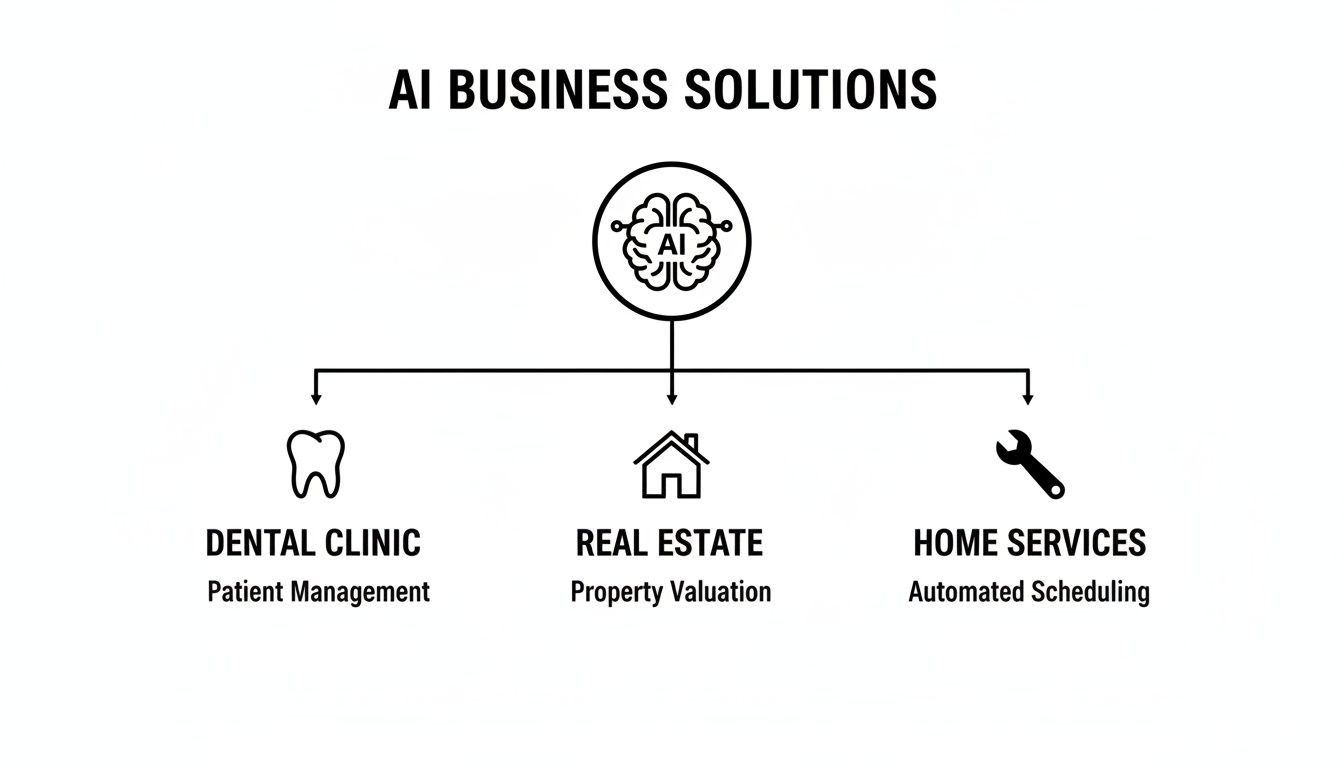
As you can see, the same core technology gets adapted to fit the unique needs of different industries, whether it's handling patient intake for a dental office or fielding property inquiries for a realtor.
Deep CRM Integration and Outbound Capabilities
To get the most out of every single call, your AI receptionist has to talk to your other business software. This is why deep CRM integration is so critical. When your AI is synced up with your Customer Relationship Management (CRM) system, it can work wonders automatically:
- It logs every call and creates a brand-new contact for first-time callers.
- It updates existing customer records with notes and call transcripts.
- It can even trigger follow-up emails or tasks based on what happened during the call.
This creates a complete, unified history of every customer interaction, ensuring no lead gets forgotten and no detail is lost.
Finally, the best platforms do more than just wait for the phone to ring. You should look for outbound calling capabilities. This feature allows your AI to proactively call customers for things like appointment reminders, follow-ups on old quotes, or even campaigns to win back past clients. By automating this outreach, you can slash no-shows, nurture lukewarm leads, and boost repeat business—all on autopilot. An AI receptionist for a small business becomes both a defensive shield, catching every inbound lead, and an offensive weapon, actively creating new opportunities for you.
Getting Started: How to Set Up Your AI Receptionist in 5 Steps
Thinking about adding an AI receptionist for a small business might feel like a big technical leap, but it’s more straightforward than you’d expect. You really don't need a degree in computer science to get it done. We can break the whole process down into five clear, manageable steps built for busy owners like you.
Step 1: Pinpoint Your Biggest Phone Headache
Before you start comparing vendors or features, you need to get crystal clear on what you want the AI to fix. Ask yourself: what's the single most frustrating thing about your business phones right now? The answer to that question will steer every other decision you make.
Is your team swamped during peak hours, causing you to lose potential customers? Or is it the sheer volume of calls for simple appointment scheduling that eats up everyone's time?
Your primary goal might be to:
- Automate appointment booking so your calendar fills up on its own.
- Capture and qualify new leads around the clock—so you never miss an opportunity again.
- Answer frequently asked questions and give your staff a much-needed break.
Start with your most painful problem first. You can always give the AI more responsibilities later, but focusing on one core goal will get you a fast, tangible win.
Step 2: Choose the Right Tool for the Job
Now that you have your goal in mind, you can start looking at different AI receptionist platforms. Use the list of must-have features we talked about earlier as your personal shopping list. The key is to find a platform that absolutely nails the one thing you need it to do.
For example, if booking is your priority, dig deep into how well it connects with your specific calendar. If qualifying leads is the game, look for robust CRM integrations and easy ways to customize the call scripts. Don't let yourself get distracted by a long list of shiny features you'll never touch. Stick to what delivers immediate value.
Our guide on how to automate your inbound booking process in five steps is a great resource that walks you through this exact evaluation process.
The "best" platform isn't the one with the most bells and whistles. It's the one that solves your biggest problem without a lot of fuss and has a pricing model that makes sense.
Step 3: Design the Conversation
This is the fun part—you get to teach your new AI how to talk like a perfect member of your team. You’ll decide on its greeting, the questions it asks, and how it handles different requests. The best platforms make this surprisingly simple with visual drag-and-drop editors and ready-made templates.
You’re essentially drawing a map for the conversation. For instance: "When a caller says they want to book something, ask if they're a new or returning customer." This kind of simple logic makes the call feel smooth and natural, guiding the caller to the right outcome without any friction.
Step 4: Connect It to Your Existing Systems
An AI receptionist truly comes alive when it’s connected to the software you already rely on. The two most important connections you'll make are with your calendar and your CRM.
Plugging it into your calendar (like Google Calendar or Outlook) is what enables true, hands-off automated booking. Linking it to your CRM ensures every lead, call summary, and customer detail gets logged and organized automatically. This step transforms your AI from a simple answering machine into the command center for your customer interactions.
Step 5: Test, Go Live, and Keep Improving
Before you flip the switch and send all your customers to the AI, you absolutely have to test it out. Call the new number yourself. Ask a few team members or even friends to call in and act like different types of customers—the curious one, the confused one, the one in a hurry.
Listen to the recordings and read the transcripts. Does it sound right? Did it capture the information correctly? This is your chance to smooth out any rough edges. Once you’re happy with how it performs, you can forward your main business number and officially launch.
But don't just set it and forget it. Keep an eye on the analytics. The data will show you where callers are successful and where they might be getting stuck. Use those insights to tweak your scripts and make the experience even better over time.
Measuring Your Success and Calculating ROI
So, you're considering an AI receptionist for a small business. How do you know if it's actually making you money, or if it's just another monthly expense? The proof is in the numbers, and thankfully, they're not hard to find. It's about moving past the feeling of being less busy and getting to the hard data that shows this tool is a true profit-driver.
Instead of getting bogged down in complicated spreadsheets, you really only need to watch a few key metrics. These are the numbers that paint a clear picture of the impact on your bottom line.
Key Metrics to Track Your Progress
From day one, keep an eye on these three core areas. They'll tell you everything you need to know about the value your AI is delivering.
Reduction in Missed Calls: This is the most obvious and immediate win. First, figure out your baseline—how many calls are you missing or sending to voicemail each day? Once your AI is live, you'll see that number drop to nearly zero. Every one of those answered calls is a customer you didn't lose.
Increase in Appointments Booked: A huge part of your AI’s job is to get qualified appointments on the books. Start tracking how many new bookings it handles on its own each week. This is pure, new business your team didn't have to lift a finger for.
Lead Conversion Rate: It’s not just about answering the phone; it’s about what happens next. Pay attention to how many of those incoming calls get turned into solid leads or booked appointments. A well-trained AI is great at asking the right questions to qualify callers, so the opportunities it hands over are genuinely valuable.
Think about it this way: your AI doesn't just save you the cost of a salary. By capturing leads after hours or when you're on another call, it's actively generating new income for your business, 24/7.
Calculating Your Return on Investment
Once you're tracking those numbers, figuring out your Return on Investment (ROI) becomes surprisingly simple. All you have to do is weigh the value it brings in against its monthly cost.
Here's the basic formula:
ROI = (Value Gained - Cost of AI) / Cost of AI
The "Value Gained" part is a mix of two things: new money coming in and money saved.
Let's run a quick example. Imagine your AI books just 10 extra appointments for you this month. If your average job is worth $200, that's $2,000 in new revenue.
Now for the savings. What if the AI also frees up your team from 10 hours of administrative work a week? If you value your team's time at $25/hour, you've just saved another $1,000 in productivity costs for the month.
Your total "Value Gained" is $3,000. If your AI plan costs $150/month, the math speaks for itself:
($3,000 Value - $150 Cost) / $150 Cost = a 19x ROI
That means for every single dollar you put in, you get nineteen dollars back. This isn't just a small improvement—it's the kind of result that makes an AI receptionist one of the smartest, most profitable decisions a small business can make.
Got Questions About AI Receptionists? Let's Clear Things Up.
Even with all the clear wins, I get it. Bringing a new "employee" into your business, even a virtual one, comes with some fair questions. Let's tackle the concerns I hear most often from business owners just like you.
"Will it sound like I'm forcing my customers to talk to a robot?"
That's probably the number one worry, and it’s a good one. We’ve all been stuck in those frustrating phone loops with a robotic voice that doesn't understand a thing. Thankfully, we're miles away from that now.
Modern AI receptionists are built on technology that understands natural human speech—pauses, accents, and all. They don't just listen for keywords; they understand context. The goal is a smooth, helpful conversation, not a robotic script.
But here’s the key: a smart AI also knows its own limits. If a customer has a really complex problem or is getting upset, the system is designed to gracefully hand the call off to a human team member. The customer gets the right help, and your team isn't left to clean up a mess.
"Am I trying to replace my staff?"
Not at all. For nearly every small business, an AI receptionist is a force multiplier for your team, not a replacement. Think of it as hiring a super-efficient assistant whose only job is to handle the repetitive, time-draining tasks.
By taking over the routine calls—like booking appointments, answering FAQs, and quoting basic services—the AI frees up your human staff to do what they do best: solve tricky problems, build real customer relationships, and focus on work that actually grows the business.
Your AI handles the predictable stuff, and your team applies their skills where it makes the biggest difference. It’s about making everyone more effective.
"Is this going to be a technical nightmare to set up?"
You'd be surprised how fast you can get up and running. The best platforms are built for business owners, not IT experts. You can realistically have your AI receptionist live in less than a day, and you won't need a developer to do it.
The process is usually just a few simple steps. You'll set your rules and call flows, often starting with ready-made templates for industries like home services or dental practices. Plus, good providers will have a support team on standby to make sure your launch goes off without a hitch.
Ready to see how an AI receptionist can give your business a 24/7 front desk that never misses a beat? Glue Sky offers an intelligent solution designed to capture every lead and empower your team. Learn more and get started with Glue Sky today.
Written with the Outrank tool